📱
Rotate your device to landscape
Sea Battle only works in horizontal mode
↔️

Sea Battle only works in horizontal mode
You
Opponent's turn - time to shoot left:
Line Glazer
Your turn - time to shoot left:
Waiting for the opponent...
Video camera reward 📹 time left:
In Sea Battle game you play against an opponent, both of you have two 10x10 grids, one grid is for your own ships, and another one is for your opponent's ships which you are trying to discover. You start by arranging your ships on your grid. You have these kinds of ships:
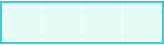
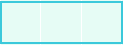


The ships cannot be next to each other on the grid, not even diagonally, they must always be at least one square away from one another. Also every ship except destroyer consists of multiple parts which you cannot mix together with parts of different ships and to see the difference between them every part has corresponding size label. You can arrange them as you want by dragging and dropping them following ship placement rules.
After the game started players take turns clicking(shooting) on the grid. If you miss the turn changes and if you hit a ship you get to shoot again. You mark which squares are hits and which are misses and try to be the first to sink all your opponent's ships. The first player to sink their opponent's ships or the first player whose enemy loses all his time wins the game.
You can already play in fullscreen mode, but for the ultimate Battleship experience (no address bar at all, no browser tabs, just pure game):
Add Sea Battle to your home screen — it turns into a real app!
How to do it:
Android (Chrome / other browsers):
iPhone / iPad (Safari):
Once added, just tap the icon on your home screen and enjoy the game like a native app — no distractions, more space, feels professional.